The community lists would also save users like Brian a significant amount of time by allowing them to create their travel plans in less time. This would be done by searching through detailed itineraries and curated lists created by Gabrielle and other Google Maps users. This feature would streamline the planning process, making it easier to find recommended places and activities based on the experiences of the community.
Community recommendations
HMW enhances travelers' planning experience and increases user engagement when using Google Maps.
If you are an avid traveler and are planning an upcoming trip, most likely two things are true: you will be doing some type of planning for your trip, and you will most likely use Google Maps to navigate once you reach your destination. Google Maps is a navigation powerhouse, preferred by nearly 70% of smartphone users for its extensive and reliable features.
Collaborative Planning Tools
for Avid Travelers
Community Lists is a new feature in Google Maps that allows travelers to collaboratively plan, organize, and discover trip itineraries with ease.
Add a feature TO GOOGLE MAPS
Responsibilities:
Competitive analysis, Users research, Wireframes,
Prototyping, User testing
Tools used:
Adobe Photoshop
Figma
FigJam
Duration:
80 hours
❌ The Problem
Whether it be a weekend outing with the family or traveling abroad trip planning is often disorganized and fragmented. Users rely on multiple apps to research and store trip details, leading to frustration and inefficiency. While Google Maps excels at navigation, it lacks integrated planning functionality. This gap presents an opportunity for Google Maps to present a more unified solution.
✅ The Goal
The project aimed to enhance travel planning within Google Maps by integrating comprehensive tools, fostering community-driven content, and providing a unified platform for organizing trip details.

Discovering what is great
There are a lot of navigation apps. It’s a very crowded field. My research showed that having the ability to create a list is a standard feature. Google currently allows users to create private list and list that are shareable through a link. Only Apple’s navigation software Maps allowed users to discover map list in the app.
Standing out from the crowd.
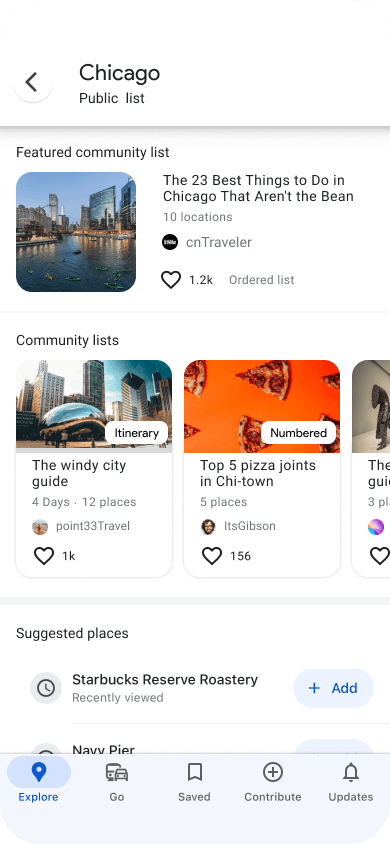
Apple’s list call “guides” are totally curated. The lists are limited to only brands and influencers. To make my Google Map feature unique I decided to lean into the community of users. This is something Google already does with their local guides program. Leveraging the power of the user base would increase user community engagement and offer a more unique array of lists.



This research confirmed that users would like to see community list in Google and showed unique ways they would use them. There was also a surprise that came out of my research. It not only confirmed interest in the feature I was adding to Google Maps it revealed a way to make the feature unique and beneficial to the user.
After looking to see how other platforms used list in their platforms to help users plan and find new experiences
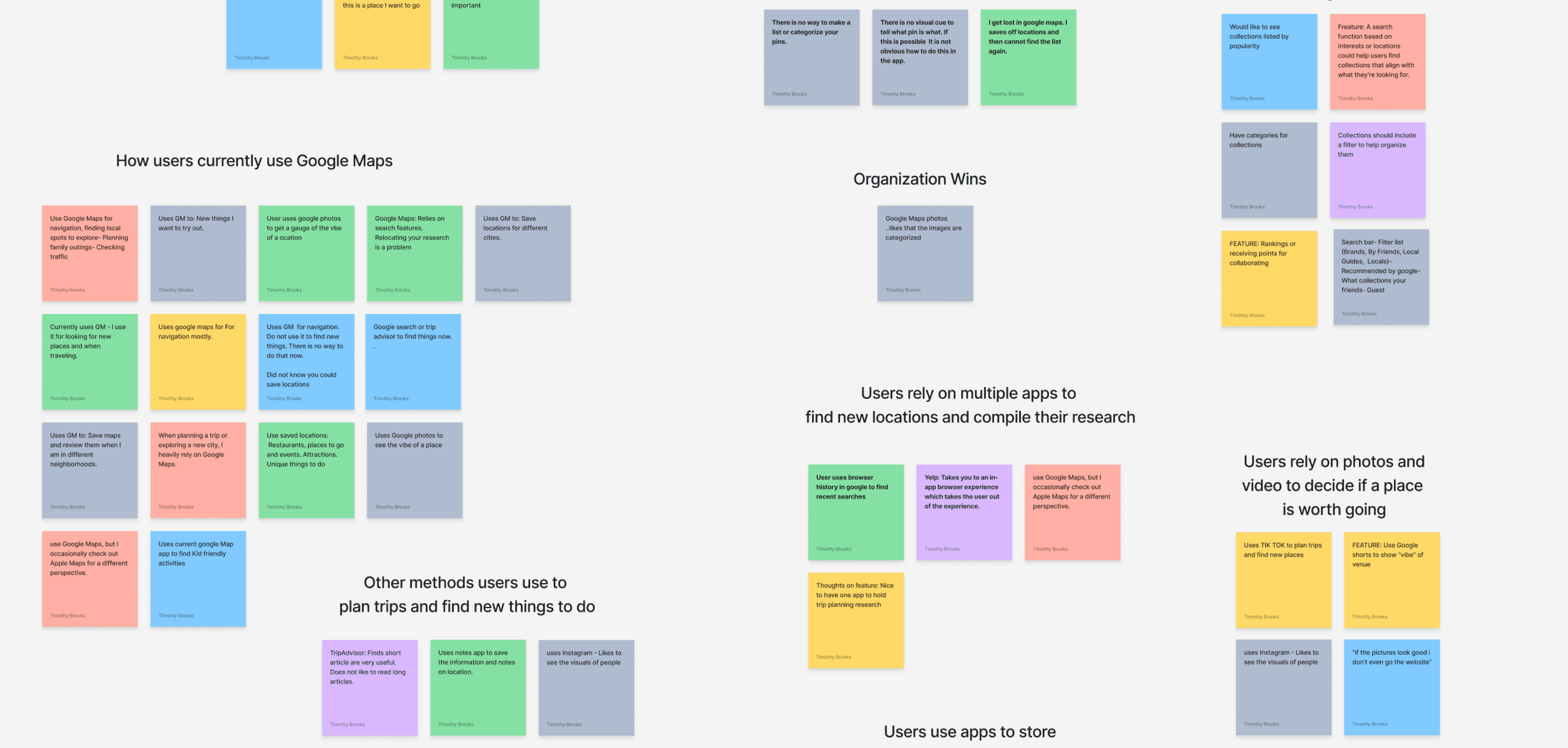
I conducted user interviews with 6 google map users to better understand the user.
DELIGHTS, PAIN POINTS, AND SURPRISES
• Gauge interest in Google Maps community list
• How users currently use Google Maps and other mapping tools?
• What apps do users use to discover new places?
• Understand how users would expect to discover maps using lists
Research Goals
Trip planning is fragmented across various apps, creating user frustration.
I use Google Maps for directions, but I save trip details in a notebook.
Kendra
I search on Google to find places and store them in the Apple notes app.
Karen
I find things to do on Tik Tok but end up organizing my itinerary in different apps.
Jackie
This pain point would be used to inform the types of list available for users to more effeciently plan trips and find unique things to do.
A community list alone would not be a complete solution for users like Gabrielle. To solve her issue, I created a way to make map itinerary lists and made the notes feature in Google Maps more robust by adding formatting options. This allows users to save their plans and research in Google Maps, giving them one location to house their trip information.
Planning tools
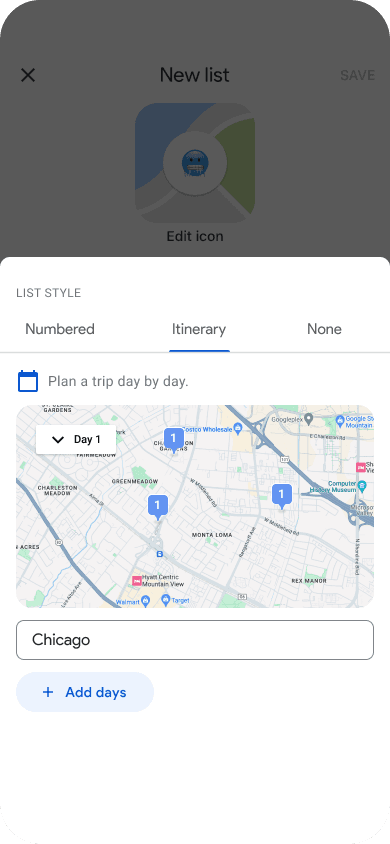
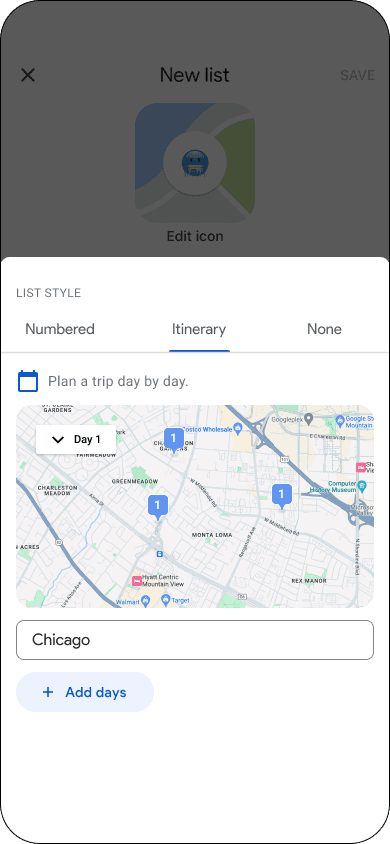
Create itinerary style list
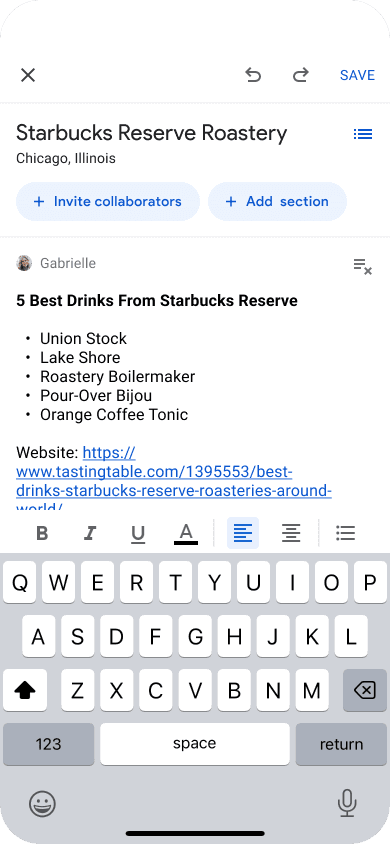
Take detailed notes
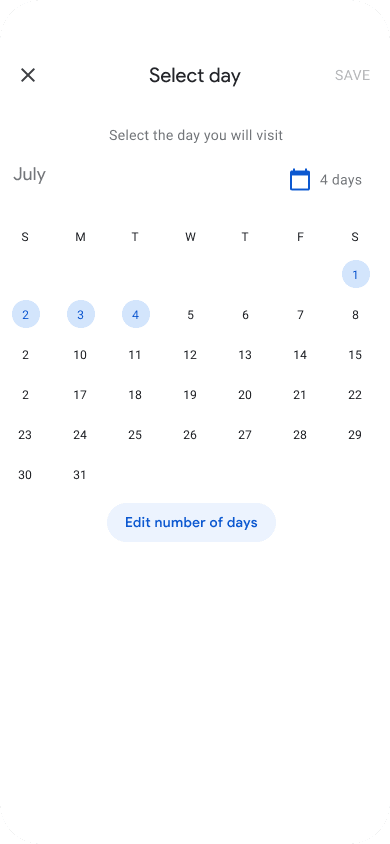
Assign days to visit
Users did not know they could scroll to view the community-style list.
User problem 1
Solution
Add a modal to clearly display the community-style list.
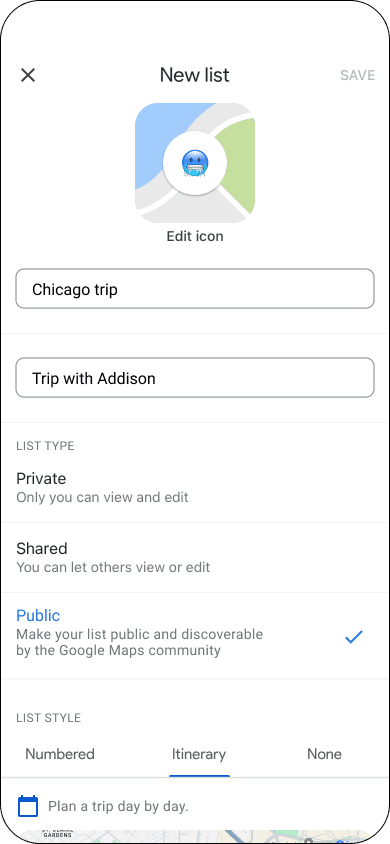
Once the public list is selected the modal is launched

Modals focus the users attention on the task at hand increasing the users overall experience
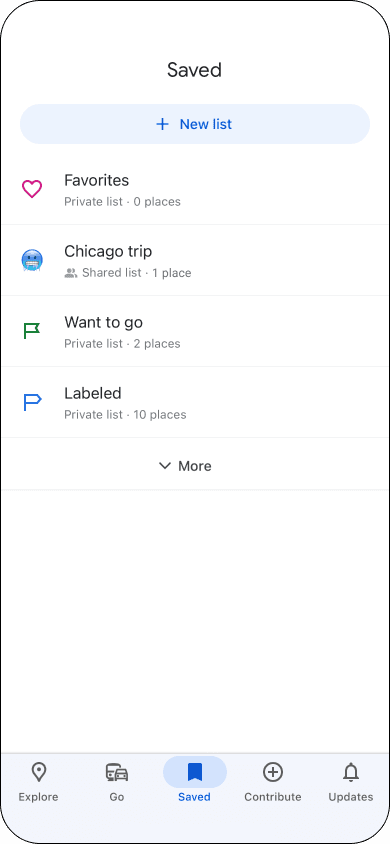
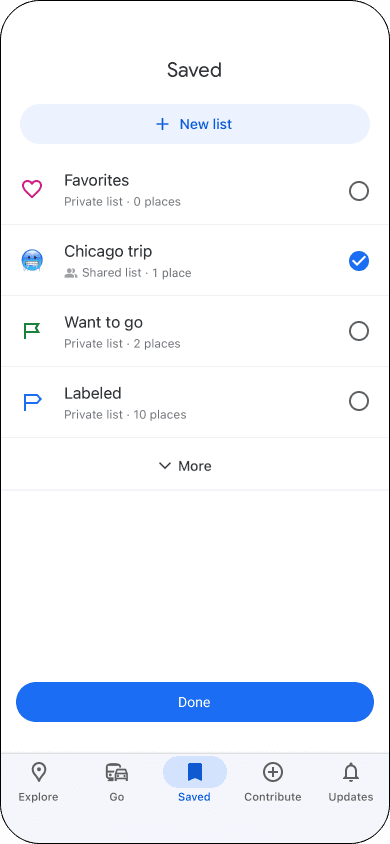
User feedback needed when adding place to list
User problem 2
Solution
Check radial button when list is slected
Adding feedback visually shows the view which list is selected. This pattern also allows the user to add a place to more that one list
A confirmation button was also added to allow the user to confirm their selections
Not bad, we can do better!
Testing the high fidelity wireframe with the new iterations was very successful.
5/5
All users easily completed the task of selecting the style of list.
Compared to 3/5 before
5/5
Users liked addition of feedback when selecting a list.
Compared to 4/5 before

User Needs + Goals
Find a more organized way to plan trips
Collaboratively plan trips with her friends
Find new restaurants and types of cuisines to try
Use a trusted source for reviews
Gabrielle The Organized Explorer
Travelers like Gabrielle do most of their planning through Google Maps, Google search, Trip Advisor, and documentation of plans in multiple apps or in notebooks. This was a major frustration of the users. They felt unorganized and would have to hunt down their prior research or lose track of it altogether.

User Needs + Goals
A convenient way to find kid friendly activities for his family on vacations and locally.
Easily find local hidden gems and unique experiences
Does not enjoy or have a lot of time to do research
Brian Time-Pressed Traveler
Travelers like Brian want to quickly find locations and things to do through recommendations and social media. This saves them time and simplifies the planning process.
User Research is Indispensable
Conducting interviews revealed that users were frustrated by having to use multiple apps for trip planning. This insight was crucial for developing a unified solution within Google Maps.
Clarity in Navigation
Adding a modal to display the community style list helped address the issue where users did not know they could scroll, significantly improving navigation and user satisfaction.
Importance of Integration
Users appreciated having robust note-taking and itinerary features within Google Maps, demonstrating the value of integrating planning tools directly into the app they use for navigation.
LEARNINGS & REFLECTIONS
Meet Our Travelers
Hyper organized travelers who love to meticulously plan their trip and time conscious adventurers who liked to quickly discover and plan things to do based on recommendations and social media.
Through my user research two different types of travelers emerged.
Low fidelity wireframes
With our two travelers in mind I began to sketch out different screens for the planning tools and community recommendation features.
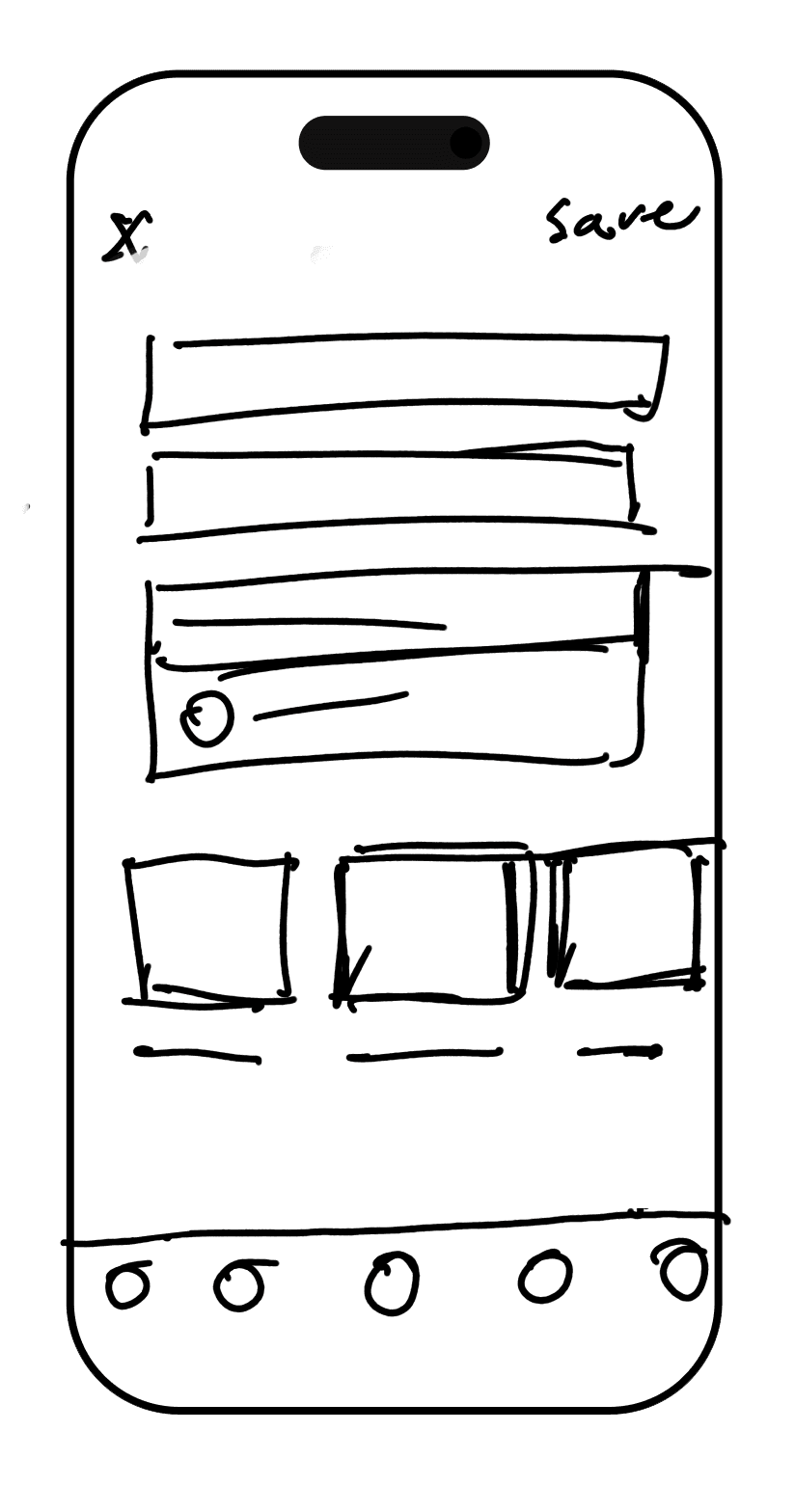
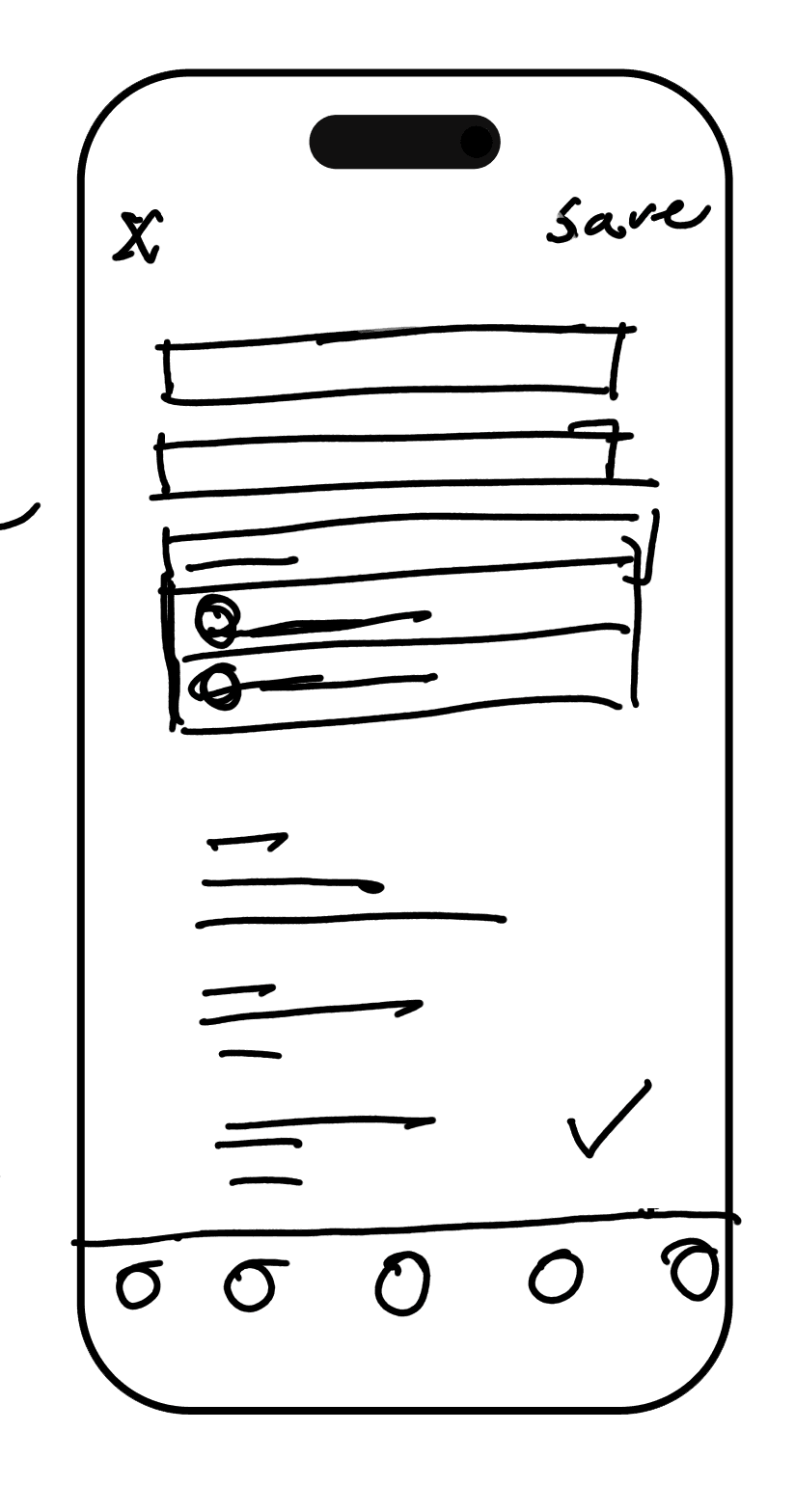
The trip details screen is where the user will fill out details for for their list. Including details like name of list, description, name of trip and style of list (private, shared and public)
LIST DETAILS
Icons
Allows users to see the examples of community list with icons.
Text
Allows users to see the types of community list in text format.
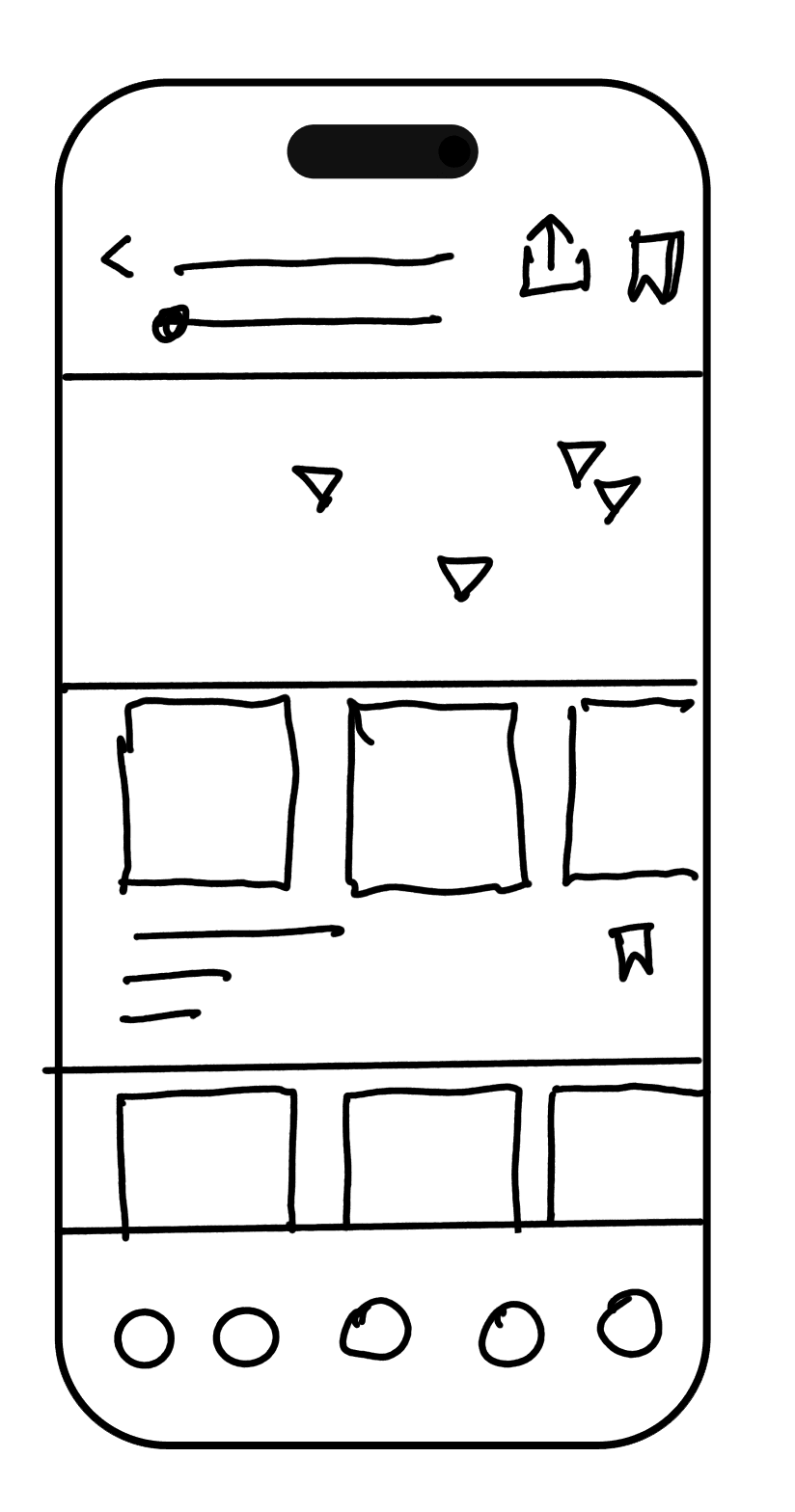
The list locations page includes the save d locations.
LIST LOCATIONS
Map
This iterations would prioritize a map of the locations on the list
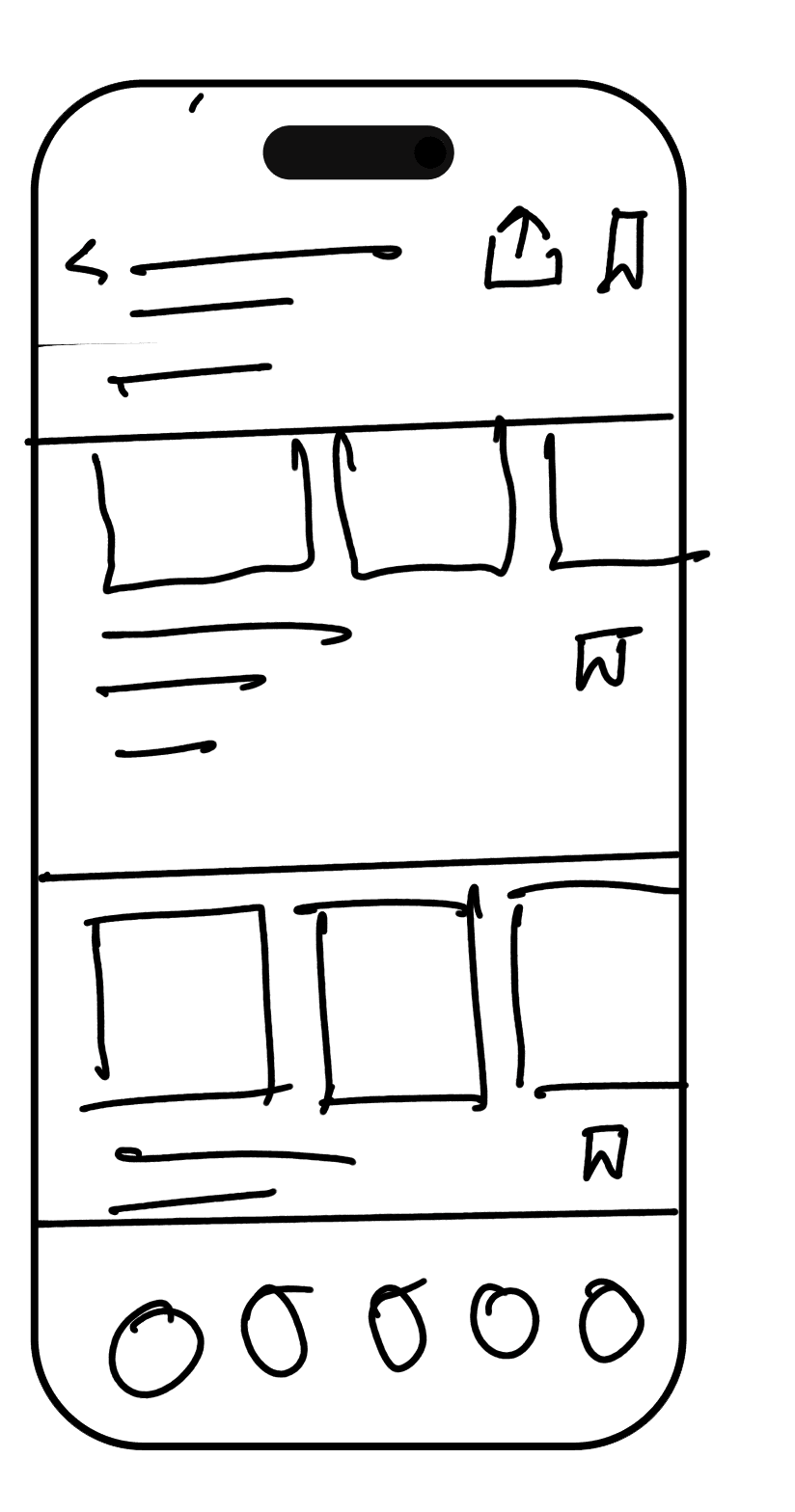
Text
This iteration allows the users to see the details about the list first. A user can open the map if they would like to.
Final solution
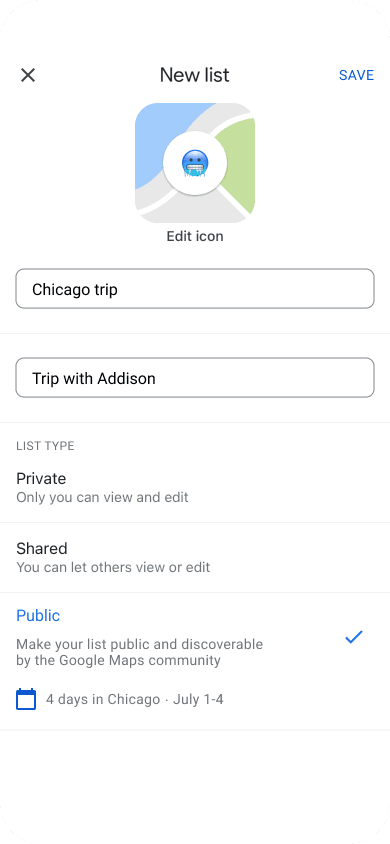
create itineraries in google maps
During user interviews, travelers expressed frustration with organizing trip details across multiple apps. Many struggled without a centralized place to compile research and create detailed itineraries.
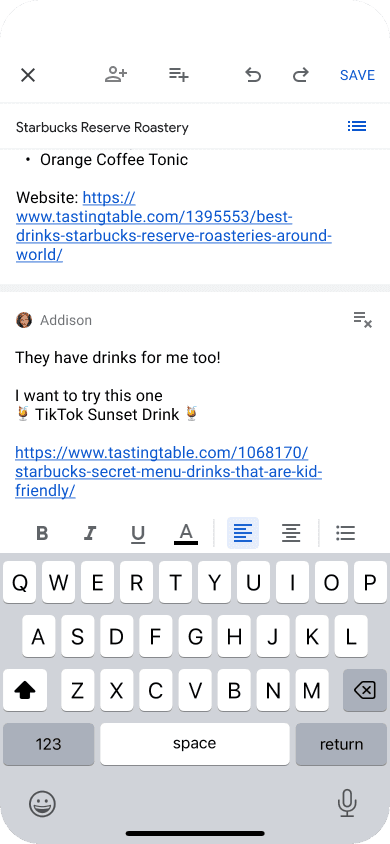
To address this, I introduced a feature in Google Maps that allows users to create and manage itineraries directly within the app. This feature lets users add, organize, and format notes, simplifying trip planning. By integrating this functionality, Google Maps now offers a comprehensive solution for both navigation and trip planning, reducing the need to switch between multiple apps and enhancing the overall user experience.
Collaboratively Plan & organize trip details
Travelers also needed the ability to collaboratively plan their trips day-by-day. Users can now select specific days for their planned activities, making it easier to visualize and organize their itineraries chronologically. Additionally, the feature allows users to collaboratively add more detailed notes to specific locations. This makes it possible for friends and family to contribute to the trip planning process, ensuring that all relevant information and suggestions are centralized in one place. These enhancements not only streamline planning but also creates a more interactive and inclusive experience for all travelers involved.
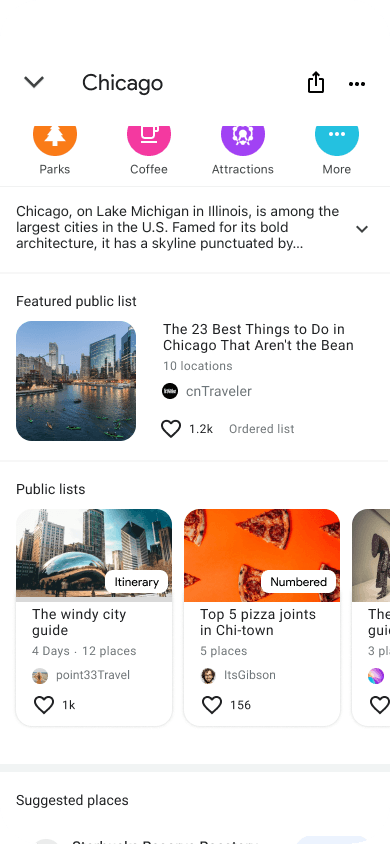
Save Time with Community Recommendations
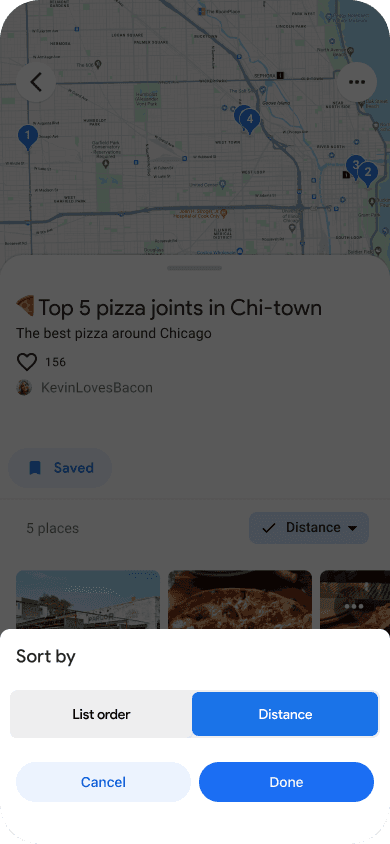
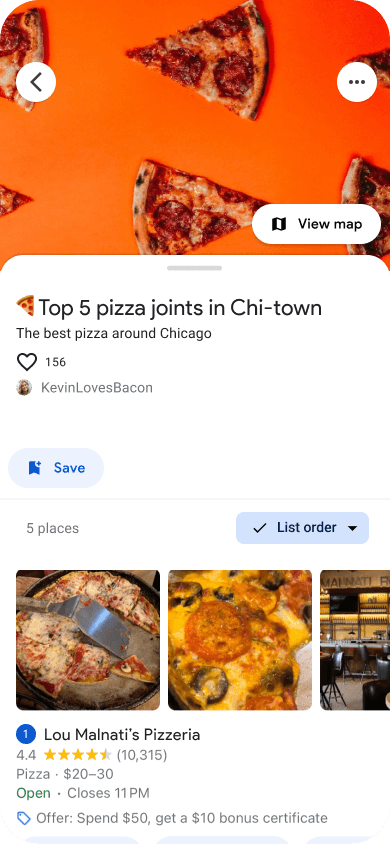
One of the key benefits of the new feature is the ability to save time by using recommendations from other users. Travelers can browse community-generated lists and itineraries, quickly finding popular spots and activities without extensive research. This allows users to leverage the experiences and insights of others, making trip planning more efficient and enjoyable. By incorporating these recommendations, Google Maps enhances the overall travel planning experience, providing users with reliable and diverse options for their trips.
View Prototype
more work
Verifi
AI Misinformation Detector
Max Game Night
An new way to enjoy old favorites
UX Designer,
Animator,
& Illustrator.

Google Meeting
Remote Usability test
5 usability testers

Success Metrics
Completion rate of task
Satisfaction score (1-5)
Goals
Gather success metrics
Measure task efficiency
High Fidelity Prototype
After testing the mid-fidelity prototype I used the feedback to iterate and develop a high-fidelity prototype for additional testing. This test revealed additional changes as well as refinements to the trivia challenges.